TAWK | Voice to Text for macOS | Offline Dictation App
Use Cases BlogPricing Download free
Voice to text for Mac

Start talking.
Stop typing.

Hold one key and talk. Your words appear wherever your cursor is: Slack, email, Notion, a prompt to Claude. Let go and they are there. Your voice and your words never leave your Mac.

Download free for MacEmail me the download
Free to try, 5,000 words. $99 once if you keep it. macOS 11 or later.
hold right ⌥ you speak
on your Mac · nothing sent
# launch-week · Slack · 8:41
waitingSent ✓
Said out loud once. TAWK types what you said, it does not rewrite you.
A day with TAWK

The typing you
stopped doing.

Five moments from a normal Tuesday. Every one of them used to be a keyboard.

8:40
Kitchen · coffee

The Slack thread that piled up overnight. Answered out loud, standing up, before the toast is done.

Slack
10:15
Desk · deep work

The prompt you would never type. Three paragraphs of context to Claude, spoken. The answer is better because you said more.

Claude · ChatGPT · Cursor
13:30
After lunch

The email you have been avoiding for two days. Ninety seconds, said plainly, sent.

Gmail
16:00
Shipping

The commit message, the PR description, the ticket nobody wants to write. Talk through what you built. It lands in the box.

VS Code · Jira
22:10
Lights off

Notes open, thinking out loud about the day. Kept, in your own words, without the glow of a keyboard.

Notes

What people say

★★★★★

I use TAWK every day now. It takes away the need to type. I run my business myself, so I am always doing several things at once, and it lets me move between projects fast and just speak in my own voice.

Evelyn Ng

Evelyn Ng

Founder, TwoSpreads
★★★★★

I build reports, proposals and execution plans all day, and I work with Claude Code a lot. Talking instead of typing genuinely helps with all of it.

Jaideep Chagger

Jaideep Chagger

Director, Mindvalley
★★★★★

As an entrepreneur, it helps to keep your thoughts going. With TAWK I stay present on the task and share my real thoughts instead of editing them as I type. The move from Wispr Flow to TAWK was seamless.

Neil Ateem

Neil Ateem

Founder, Multiplier
★★★★★

I built TAWK so I could work faster. I have been building it and using it every day for six months, and it has changed the game for me.
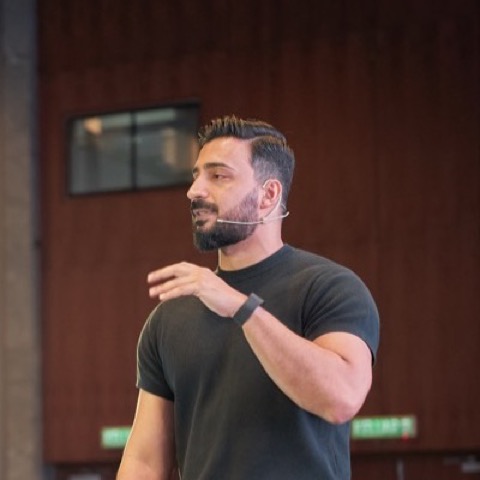
Rafay Korai

Rafay Korai

Founder, TAWK
★★★★★

I run multiple teams doing hundreds of millions, so every second matters. A tool like this genuinely lifts the pace I can work at.

Marisha Lakhiani

Marisha Lakhiani

Chief Growth Officer, Mindvalley
One key

Hold. Talk. Let go.

No mode to remember, no second keypress. Right Option out of the box, or switch it to the fn (globe) key, right Command or right Control in the menu bar. A small bar at the bottom of the screen shows when it is listening and when it is writing.

hold right ⌥  or  fn

Hold

Press and keep the key down. Right Option to begin with, or the fn (globe) key if that is the one your hand already knows.

talk

Talk

Say it the way you would say it to a person. Mumbling is fine. Ninety languages are fine.

let go

Let go

The words land where your cursor is. Double tap the key to stay hands free for a long thought.

writing · 41 words
Make it yours

Your words.
Your key.

Two minutes in Settings and TAWK speaks your language, on the key your hand already knows.

Teach it your words

Names, products, jargon. Add them once and TAWK expects them before it listens. If it writes a word wrong, add a correction and you will not see that mistake again.

Mindvalley added
Storyblok added
kubectl added
mind valley → Mindvalley

Pick your key

Hold to talk on right Option out of the box, or switch to the fn key, right Command or right Control. Double tap to go hands free for the long thought, tap again when you are done.

right ⌥ fn 🌐 right ⌘ right ⌃

Change it any time in the menu bar. TAWK never takes a key you type with.

Why it lives on your Mac

Nothing leaves.

The speech model is inside the app. Your voice is processed on your Mac and goes nowhere else. No account, no server, no analytics.

Works on a plane.

No internet needed. The same accuracy in a basement, on a flight, or with the wifi off.

You own it.

Pay once and it is yours, on every Mac you own, with updates. Software the way it used to be.

$99once

5,000 words free first, then $99 if you keep it. No monthly plan, no yearly plan, no seat counting. The subscription apps cost $144 a year for the same job.

Over five years that is $99 against $720.

See the full comparison on the pricing page →

Why TAWK?

See how we stack up against the competition

Feature TAWK Wispr Flow Superwhisper MacWhisper macOS Dictation
Price $99one-time $144/year $84.99/year ~$69 once Freebuilt-in
Works Offline ✓ ✓ ✓ ✓ ✗
Types at Cursor ✓ ✓ ✓ ✗ ✓
Whisper AI Accuracy ✓ not stated ✓ ✓ ✗
No Subscription ✓ ✗ ✗ ✓ ✓
100% Private ✓ ✓ ✓ ✓ ✗
Global Hotkey ✓ ✓ ✓ ✗ ✓
No Account Required ✓ ✗ ✗ ✓ ✓
Fair questions

You should
be skeptical.

The questions people actually ask before paying, answered straight.

"I have never heard of TAWK. Is it safe?"

Notarized by Apple, no account to create, and it runs with wifi off. Your voice and your words never leave your Mac. It only sends a few anonymous milestones, like “used 1,000 words”, and once you buy, a weekly check of your key. The names in the reviews above are real customers.

"Will it still exist next year?"

14 releases shipped in the last week of August alone. The shipping log is public. And because the model lives inside the app, TAWK keeps working offline even on the day we do nothing.

"Will it rewrite what I say?"

No. TAWK types what you said, punctuated. It does not run your words through an AI to smooth them. What lands under your name is what you said.

"Why is there no phone or Windows version?"

TAWK is built only for macOS. One platform, done properly, is the product.

"Is $99 a lot for this?"

Try it free first: 5,000 words, around half an hour of talking, no card. If it earns the key, $99 once. The subscription apps cost $144 every year for the same job.

"I am on Wispr Flow. Why would I switch?"

Two reasons people do: where the audio goes, and paying forever. The honest switch guide names what you gain and what you give up.

Guides and use cases

Where people use it

Step by step for the app you live in, then the honest comparisons and how to guides.

SlackGmailNotionCursorChatGPTVS CodeGoogle DocsObsidianJiraLinearAsanaClickUpGitHub
Updated Apr 2026

Voice to Text App Pricing Compared: 9 Apps, Real Numbers

Comparison

TAWK vs Wispr Flow: $99 Once vs $144/Year

Comparison

TAWK vs Superwhisper: $99 Once vs $85/Year

Guide

How to Dictate on Mac: The Complete Guide (2026)

View all 28 articles →

Questions, answered.

Everything people ask before they download

Does TAWK work offline?

+

Yes, 100% offline. The speech model is inside the app. Your voice and your words never leave your Mac. TAWK sends a few anonymous milestones, like “used 1,000 words”, so we can make it better. Once you buy, it also checks your key about once a week, sending the key, a scrambled id for your Mac, its model and the app version. No audio, no text, ever.

Is my voice sent anywhere?

+

No. Everything happens on your Mac. No account, no server, no analytics, no tracking.

I have an accent. Will it understand me?

+

Yes. The model was trained on real speech from around the world, not newsreaders. It handles accents and mixed language sentences well, in 90+ languages.

I talk fast and I ramble. Does that matter?

+

No. It keeps up at talking speed. It types what you said, so a ramble comes out as a ramble. Most people tighten up within a day.

My room is noisy. Do I need a special mic?

+

No. It works with the built in laptop mic in a normal room. A quiet room is better, a headset is best, neither is required.

Does it work in every app?

+

Yes. If you can type there, TAWK can type there. Slack, Gmail, Notion, Cursor, ChatGPT, the terminal, any browser field.

How do I start and stop it?

+

Hold the right Option key and talk, let go when you are done. Double tap it to stay hands free. You can change the key in the menu bar: fn (the globe key), right Command, right Control or left Control. Option+Space also works as a toggle, including in password fields.

Is TAWK a subscription?

+

No. 5,000 words free, then $99 once. No monthly plan, no yearly plan, updates included. The subscription apps cost $144 a year for the same job.

How many Macs does one licence cover?

+

Every Mac you own. The licence is tied to your email, not a machine, and it verifies offline.

What macOS versions and Macs are supported?

+

macOS 11 Big Sur or later, on Apple Silicon and Intel. Apple Silicon is faster.

What permissions does TAWK need?

+

Two: Microphone, to hear you, and Accessibility, to type at your cursor. The first run walks you through both.

How accurate is the transcription?

+

TAWK uses OpenAI's Whisper model, the same family behind ChatGPT's voice features. Technical terms, names and fast speech come out right far more often than Apple's built in dictation.

What if it is not for me?

+

5,000 words free before you pay anything, then 15 days money back after. Email support@gettawk.com or reply to your receipt and the money comes back.

How do I get help?

+

Email support@gettawk.com. It reaches Rafay directly, and most things are answered the same day.

Talk instead
of type.

Download free for MacEmail me the download

Free to try · $99 once if you keep it · 15 day money back